
Update the SDK Version (Tutorial)
Last updated 2026-07-13At a Glance
This document explains how to call update_sdk_version(), which downloads the latest version of the HISE SDK to /home/workspace/sdk and updates that version within the current environment. You must restart the kernel or terminal for the changes to take effect. The Python call updates only the hisepy SDK. Likewise, the R call updates only the R SDK.
You no longer need to reapply your SDK version after rebooting. When you update the SDK with update_sdk_version() (Python) | updateSDKVersion() (R), the SDK version you select persists automatically. However, SDK version retention applies only to IDEs created after April 14, 2026. For IDEs created before that date, run update_sdk_version() (Python) or updateSDKVersion() (R) once to activate the retention capability.
Signature
The update_sdk_version() Python signature appears below. This function takes no arguments:hp.update_sdk_version()
Check SDK Version
It's useful to confirm that the runtime SDK matches the installed package and the version documented in tutorials, deprecation messages, and compatibility guidance. To check your SDK version, run the following command in your IDE. Click the tabs to toggle from Python to R.
Check version in Python
To check the SDK version in Python, run the following command:hp.__version__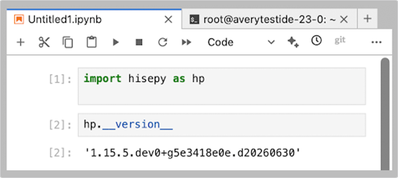
Check version in R
To check your SDK version in R, run the following command:packageVersion("hise")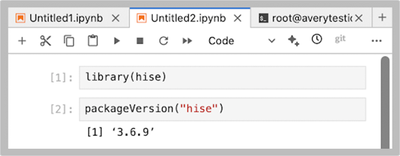
Get Help
If you get stuck during an update_sdk_version() call, refer to the steps of this tutorial (examples are in Python unless otherwise specified). To use the baked-in help in your IDE, try one of the following commands.
Python | R | Output | ||||||
|---|---|---|---|---|---|---|---|---|
|
| Function signature, list of parameters, class, and a brief description of the method in a compact plain-text format | ||||||
|
| Method signature, docstring (description), file location, and file type in more readable format | ||||||
|
| Signature, docstring, file path, a verbose set of metadata, and the source code for the method |
Still not working? Contact Support to file a ticket.
Instructions
 Import libraries
To get started, set up your environment to interact with HISE programmatically and access all available SDK functions. For details, see Use Hise SDK Methods.
1. Navigate to HISE, and use your organizational email address to sign in.
2. Open a Python notebook in the IDE. For instructions, see Create Your First IDE Instance (Tutorial).
3. To import hisepy, enter the following code into a new cell in your notebook.
# Import the Python SDK to enable programmatic access to HISE functionsimport hisepy as hp
 Call the function
1. Update to the latest SDK version.
# Return confirmation that the SDK has been updated
hp.update_sdk_version()

 Restart the kernel
1. After you update to the latest SDK version, restart the kernel. When the restart is complete, the updated SDK version will persist across IDE restarts, so you won’t need to reapply it manually each time you open the IDE.
 Related Resources
Best Practices for HISE IDE Users
Attach an IDE to a Study (Tutorial)