Use the Cache Files SDK Method (Tutorial)
Last updated 2026-06-15At a Glance
This document explains how to use cache_files() (Python) | cacheFiles (R) to download HISE files and store them in your IDE’s cache directory.
Error messaging for cache_files has been updated to give you more information if some of your requested files can’t be downloaded. Any files that fail to download are summarized in the output as Some files failed to download: [list of file IDs], along with an error message, so you can quickly determine which inputs to fix or replace.

Files that download successfully in the same cache_files() call remain available, allowing you to continue analysis or processing while addressing only the specific file IDs that failed.
If you have questions or need help, contact Support.
Signature
The signature for this method is listed in the following table. To toggle from Python to R, click the tabs.
hp.cache_files(
    file_ids: list = None,
    query_id: list = None,
    query_dict: dict = None,
)
cacheFiles(
fileIds = NULL,
queryId = NULL,
query = NULL
)Parameters
The parameters for this method are listed in the following table.
Parameter | Data type | Default | Description | |||
|
|
| List of file IDs | |||
|
|
| List of a single query ID | |||
|
|
| Dictionary that allows users to submit a query |
Parameter | Default | Description | ||
|
| List of UUIDs to retrieve | ||
|
| UUID from an advanced search | ||
|
| List of query params to search for. The format is similar to that passed to getFileDescriptors, but the fields correspond to fields in the Subject materialized view. NOTE: fileType with a valid entry must be present |
Description
This function downloads HISE files and stores them in your IDE’s cache directory when you pass in one of the following:
A list of file IDs (Python:
file_ids| R:fileIds)A saved search ID (
query_id| R:queryId)A custom search query (
query_dict| R:query)
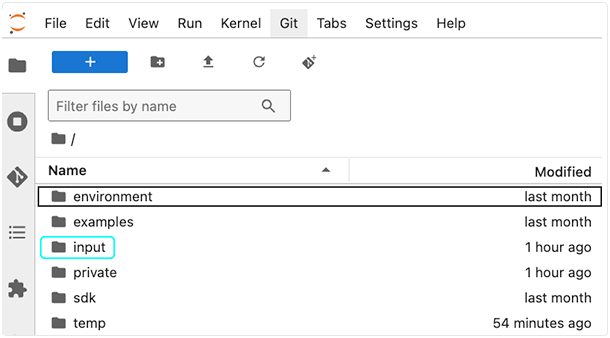
Unlike read_files, the cache_files method doesn't load files into memory. Instead, it makes them locally available and returns a list of file paths (strings) indicating where each file was downloaded in your local cache directory. Files are downloaded to your IDE's /input directory. The exact paths are returned by the function.
Logging and error handling
For transparency and reproducibility, cache_files automatically logs downloaded file IDs and sample IDs. If a file fails to download, an error message is printed to the console (e.g., Some files failed to download: [list of file IDs]), and the function continues to process the remaining files. Failed file downloads are logged but don't interrupt the caching operation. For details, see the "At a Glance" section of this document.
Instructions
The following instructions are for Python. To adapt them for R, use the R function signature and parameters listed above.
In this step, we define the file IDs for this notebook. For details, see Use Advanced Search (Tutorial).
Navigate to HISE, sign in, open an IDE, and import hisepy and any other libraries you want to use. For instructions, see Create Your First HISE IDE (Tutorial).
Retrieve your own set of file IDs, and then define them as shown below. (The example below uses placeholder UUIDs—replace them with your own.)
# Define the file IDs used in this analysis
FILEIDS = ['f805c067-7919-46a8-b3b4-a4461b12a279']
To download the file(s) and store them in your local directory, pass in the list of file IDs.
# Cache files locally by file ID
hp.cache_files(file_ids=FILEIDS)The following output is returned.

NOTE
If any of your files don't download as expected, HISE summarizes them in the output asSome files failed to download: [list of file IDs], along with an error message. For details, see the "At a Glance" section of this document.
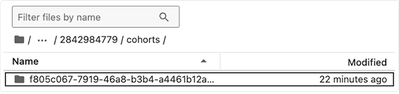
To confirm that the
cache_filesoperation was successful, inspect your local HISE cache directory to see the downloaded files. Cached files are stored in/inputand organized under subdirectories by dataset, file type, and file ID. The actual file contents are inside the<file_id>directory:/input/<workspace_path>/<dataset_or_project_id>/<file-type>/<file_id>